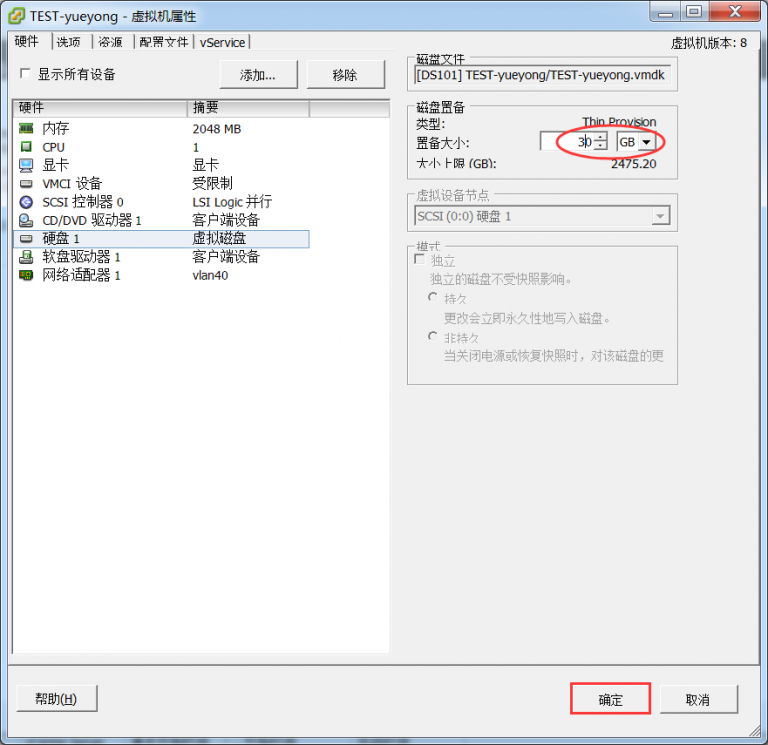
[root@linuxprobe ~]: fdisk /dev/sda #对/dev/sda进行操作
WARNING: DOS-compatible mode is deprecated. It's strongly recommended to
         switch off the mode (command 'c') and change display units to
         sectors (command 'u').
Command (m for help): p        #查看分区表信息
Disk /dev/sda: 32.2 GB, 32212254720 bytes
255 heads, 63 sectors/track, 3916 cylinders
Units = cylinders of 16065 * 512 = 8225280 bytes
Sector size (logical/physical): 512 bytes / 512 bytes
I/O size (minimum/optimal): 512 bytes / 512 bytes
Disk identifier: 0x0005210c
   Device Boot      Start         End      Blocks   Id  System
/dev/sda1   *           1          26      204800   83  Linux
Partition 1 does not end on cylinder boundary.
/dev/sda2              26        1301    10240000   83  Linux
/dev/sda3            1301        1497     1572864   82  Linux swap / Solaris
/dev/sda4            1497        2611     8952832   83  Linux
Command (m for help): d           #删除分区
Partition number (1-4): 4         #删除需要扩容的分区(这里为sda4)
Command (m for help): p       #再次查看分区信息,/dev/sda4已被删除
Disk /dev/sda: 32.2 GB, 32212254720 bytes
255 heads, 63 sectors/track, 3916 cylinders
Units = cylinders of 16065 * 512 = 8225280 bytes
Sector size (logical/physical): 512 bytes / 512 bytes
I/O size (minimum/optimal): 512 bytes / 512 bytes
Disk identifier: 0x0005210c
   Device Boot      Start         End      Blocks   Id  System
/dev/sda1   *           1          26      204800   83  Linux
Partition 1 does not end on cylinder boundary.
/dev/sda2              26        1301    10240000   83  Linux
/dev/sda3            1301        1497     1572864   82  Linux swap / Solaris
Command (m for help): n      #创建新的分区
Command action
   e   extended
   p   primary partition (1-4)
p             #创建为主分区
Selected partition 4
First cylinder (1497-3916, default 1497):          #经对比,正好和上一个磁盘柱一致,默认即可
Using default value 1497
Last cylinder, +cylinders or +size{K,M,G} (1497-3916, default 3916):
Using default value 3916              #直接默认就可以
Command (m for help): p               #查看分区表信息
Disk /dev/sda: 32.2 GB, 32212254720 bytes
255 heads, 63 sectors/track, 3916 cylinders
Units = cylinders of 16065 * 512 = 8225280 bytes
Sector size (logical/physical): 512 bytes / 512 bytes
I/O size (minimum/optimal): 512 bytes / 512 bytes
Disk identifier: 0x0005210c
   Device Boot      Start         End      Blocks   Id  System
/dev/sda1   *           1          26      204800   83  Linux
Partition 1 does not end on cylinder boundary.
/dev/sda2              26        1301    10240000   83  Linux
/dev/sda3            1301        1497     1572864   82  Linux swap / Solaris
/dev/sda4            1497        3916    19436582   83  Linux
Command (m for help): wp       #保存并退出,如果创建有误,直接退出不要保存即可
The partition table has been altered!
Calling ioctl() to re-read partition table.
WARNING: Re-reading the partition table failed with error 16: Device or resource busy.
The kernel still uses the old table. The new table will be used at
the next reboot or after you run partprobe(8) or kpartx(8)
Syncing disks.